 Quick Copy Phrases
Your words.
One click away.
Keep your everyday replies, email templates and text snippets ready to copy.
Free · English interface · Chrome on desktop
Phrase management works offline. No extension account required.
Keep the useful words.
Save the text you repeat
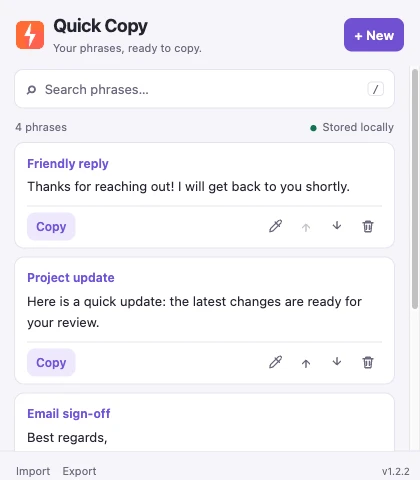
Keep support replies, signatures, prompts and small code snippets together. Optional titles make phrases easier to find.
Search, then copy
Search both titles and phrase content. Copy a saved phrase to your clipboard and paste it where you need it.
Keep your own backup
Your library stays in your Chrome profile. Export it as JSON and preview imports before adding phrases.
A quick setup
Save once. Copy when needed.
01 / INSTALL
Add it to Chrome
Install from the Chrome Web Store. Open Quick Copy Phrases from the extensions menu, or pin it to your toolbar.
02 / SAVE
Add your first phrase
Click + New, add an optional title, enter your text and choose Save phrase.
03 / COPY
Reuse your words
Click Copy on a phrase. Paste it into an email, document or message using your usual paste command.
A little more control.
Keep text intact
Save multiple lines, Unicode and meaningful spaces. Expand long phrases when you need to read the full text.
Organize your library
Edit titles or content, move phrases up or down, and undo the last deletion while the popup remains open until your next saved change.
Work in light or dark
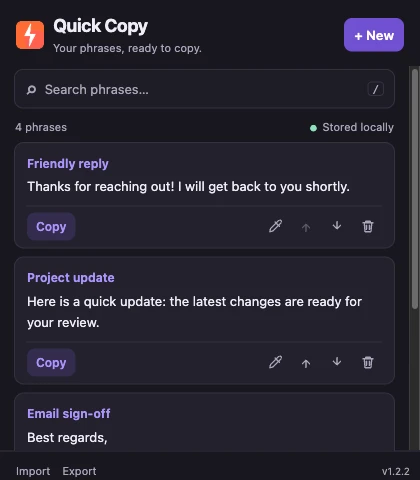
The interface follows your system appearance. Use / to focus search and ⌘ / Ctrl + Enter to save an edit.
Before you start.
Does Quick Copy insert text automatically as I type?
No. It is a phrase library with a Copy button. Open the extension, copy a saved phrase and paste it yourself. It does not monitor typing on websites.
Where are my phrases stored?
In your Chrome profile’s local extension storage. The extension does not sync phrases to a cloud service or upload them to the developer. Read the privacy policy for storage, clipboard and optional external-link details.
Can I move my phrases to another computer?
Yes. Export a JSON backup, transfer it yourself and import it into the other Chrome installation. There is no automatic cross-device sync. An import adds phrases while skipping exact title-and-content duplicates.
Does closing the popup save my draft?
No. Click Save phrase before closing it. Cancel asks before discarding changed edits, but closing the popup does not automatically save an unfinished draft.
Can I save phrases in languages other than English?
Yes. The interface is English, but saved text can contain other languages and Unicode. Quick Copy does not translate or rewrite your phrases.
Is a Chrome profile a backup?
Keep a separate export. Uninstalling the extension removes its local storage, and a different browser profile has a separate library.
Which version can I install?
The public Chrome Web Store lists version 1.2.2, updated September 21, 2026; checked September 22, 2026. Chrome manages updates for store installations.
Get comfortable with Quick Copy.
How to Save and Copy Text Snippets in Chrome
Set up Quick Copy Phrases, save reusable replies and templates, search your text, and copy a phrase when you need it.
How to Back Up and Import Your Quick Copy Phrases
Export a complete JSON backup, preview an import, skip duplicate phrases and move your library between Chrome profiles.
Spend less time retyping.
Keep your next useful reply one click away.
Add to Chrome — free ↗