Version 1.2 for macOS
Apple Notes export, rebuilt for real archives
Export Apple Notes without flattening your archive.
NotesExport Pro turns Apple Notes into durable files you can keep, search, migrate, publish, or process outside Notes. The 1.2 update adds a Notes-style hierarchy, account-wide sources, individual note selection, iCloud sync guidance, and ten export formats for both human reading and automation.
What changed in 1.2.
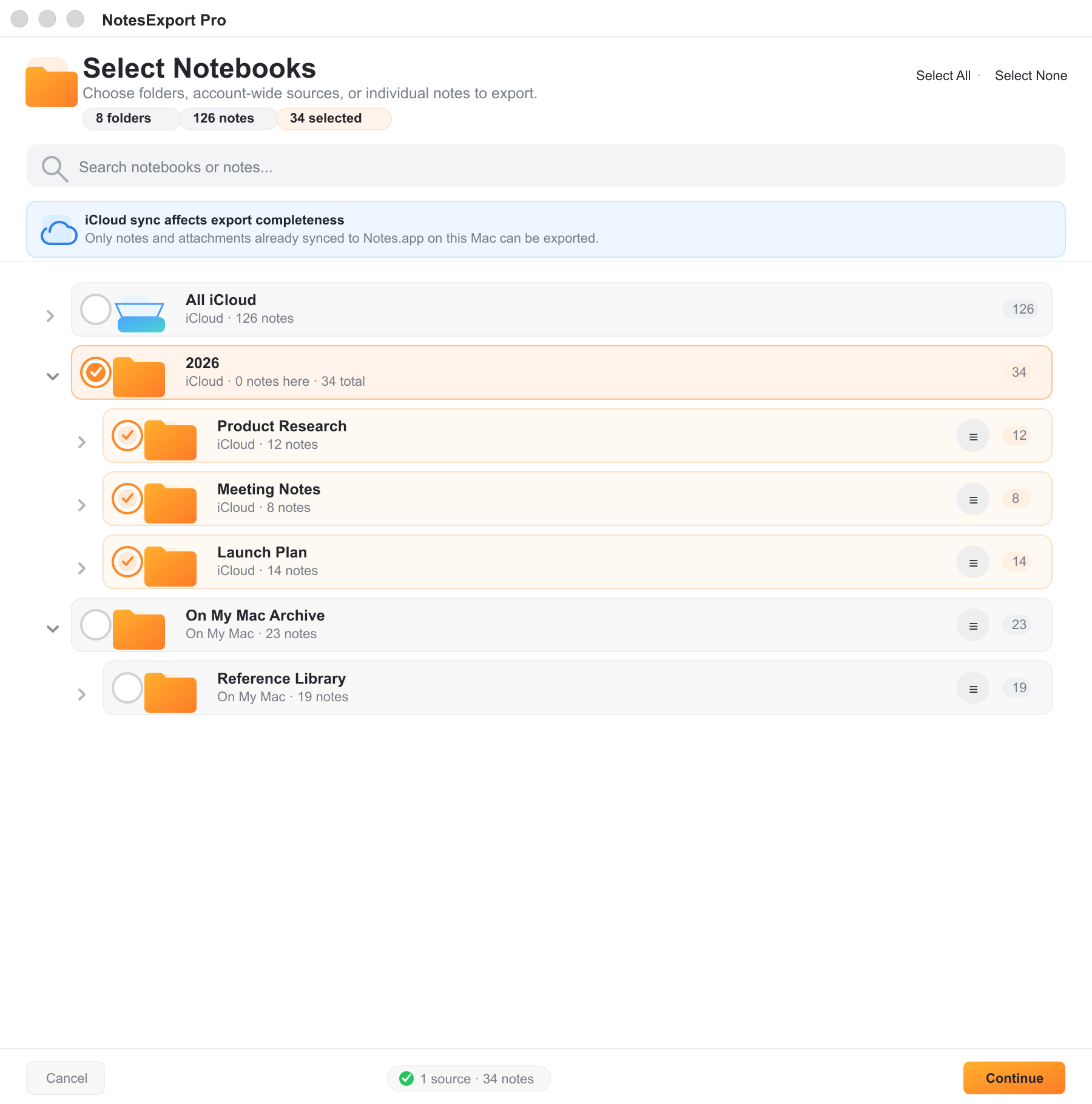
The selection flow is now built around the way Apple Notes actually stores notebooks: accounts, empty parent folders, nested folders, and individual notes all have a clear place.
Notes-style hierarchy
iCloud, On My Mac, empty parent folders, and nested folders are shown as a tree instead of a flat list.
Parent folders stay understandable
Select a parent folder as one source while child rows show inherited coverage. The UI no longer mutates every child into a separate explicit selection.
Individual note export
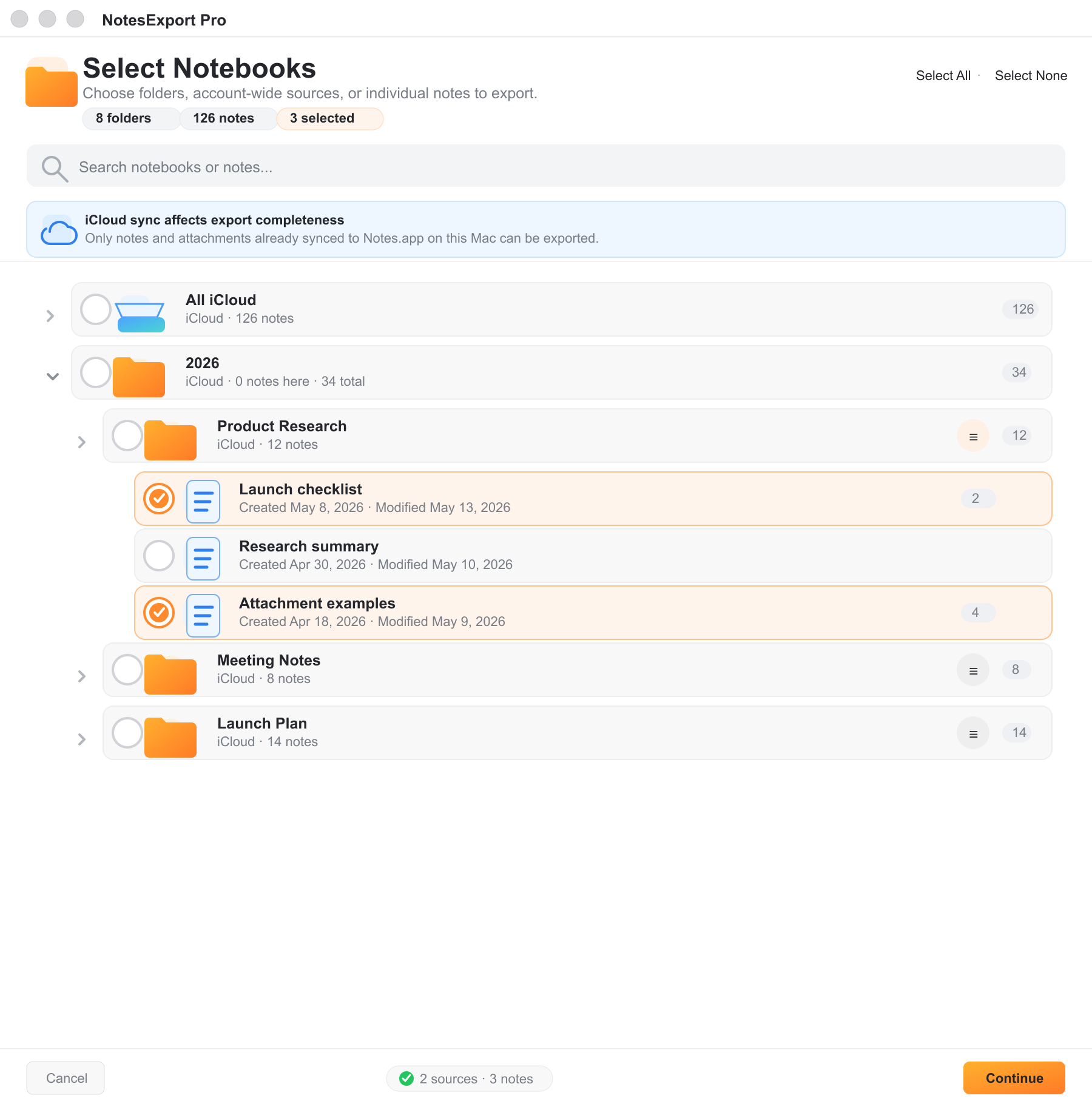
Open a folder's note list and export one note, a few notes, or a mixed selection of folders and single notes.
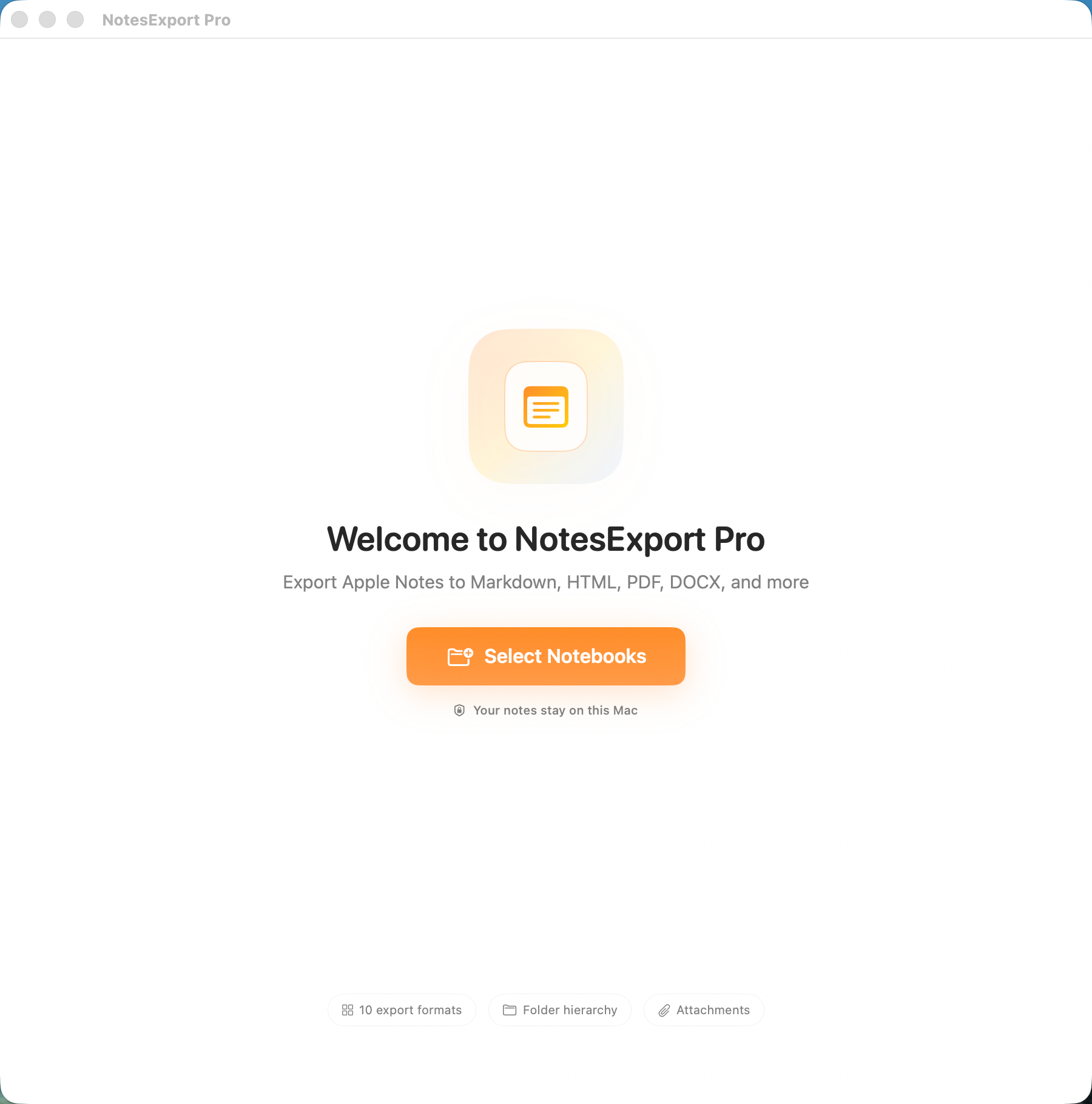
The full flow, with demo data.
These screenshots use the real app interface with sanitized demo content, so no private notebook names, note titles, or folder structures are shown.
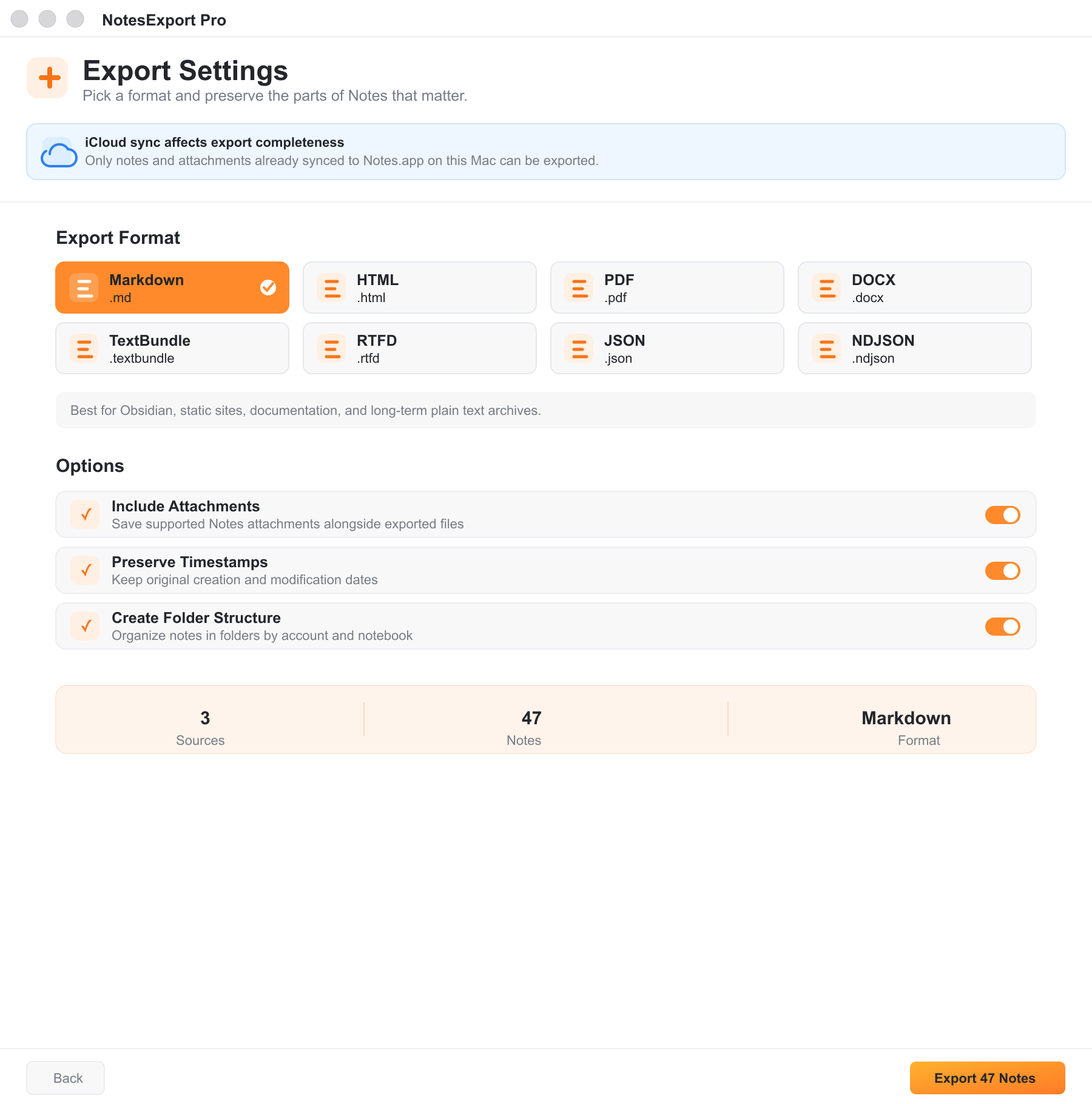
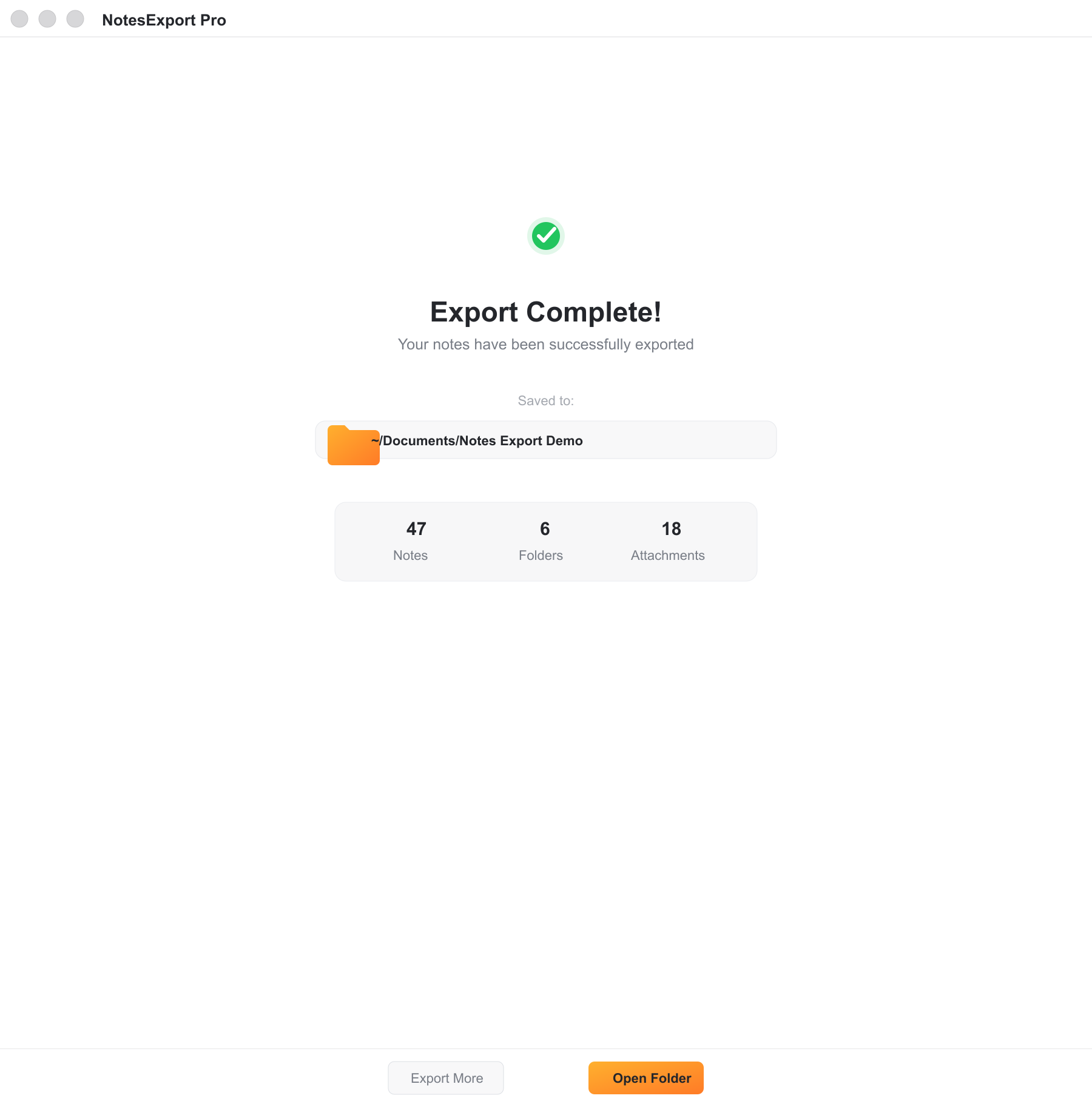
Pick the output that fits the next step.
NotesExport Pro is not only a backup tool. It is useful when you want Apple Notes content to live in another system, appear in a document workflow, or become structured data for automation.
- Keep original creation and modification timestamps when exporting.
- Save supported attachments next to exported notes.
- Create account and notebook folders so exports stay navigable.
- Avoid overwriting files when notes share the same title.
Ten export formats.
Choose readable documents, app-friendly packages, or structured data depending on where your notes are going next.
Built for people leaving notes better than they found them.
NotesExport Pro is for writers, researchers, students, operators, builders, and anyone who has years of Apple Notes that should not be trapped in one app forever. It is designed for common Apple Notes export workflows: backing up notes before a cleanup, moving Apple Notes to Markdown, sharing notes as PDF or DOCX, and preparing structured JSON or NDJSON for automation.
Apple Notes backup before a cleanup
Create readable local copies before reorganizing, deleting, or moving large Notes libraries.
Apple Notes to Markdown for knowledge bases
Export Markdown, TextBundle, or structured JSON for tools like Obsidian, static sites, and custom scripts.
Apple Notes to PDF, HTML, DOCX, or RTFD
Use PDF, HTML, RTFD, DOCX, or TXT when the recipient does not need Apple Notes.
Does NotesExport Pro upload my notes?
No. NotesExport Pro reads selected Apple Notes data on your Mac and writes export files to a folder you choose. It does not use a developer server, analytics SDK, advertising SDK, or account system.
Why can an iCloud export be incomplete?
NotesExport Pro can export the notes and attachments that Apple Notes has already synced to this Mac. If iCloud is still downloading content, counts, notes, or attachments may be incomplete until Notes.app finishes syncing locally.
Can I export a parent folder without selecting every child row?
Yes. Parent folders are selectable sources. Child folders and notes can show inherited coverage without becoming separate explicit selections, keeping the hierarchy easier to reason about.
Can I export one note instead of a whole notebook?
Yes. Open a folder's note list from the selection screen, choose individual notes, and export them alongside or instead of folder-level selections.
Compatibility and product facts.
These details are included here so people and search engines can understand exactly what the Mac App Store listing provides.
Local-first by design.
NotesExport Pro asks macOS for permission to read Notes only when you start an export flow. Export files stay in the folder you choose. The app does not collect your notes, attachment contents, searches, or usage analytics.